
Constraints first
Offline, ads, OPML, car, battery, optional AI. Logos are a last-round tiebreaker.
The Podcast App (Magnolia Apps) is a free iOS & Android player with unlimited offline, no app-inserted ads, one-tap Smart Ad-Skip on supported shows, and optional Podcast Brain — scored below against Pocket Casts, Overcast, and AntennaPod. Score the non-negotiables on one grid — offline, ads, OPML, car, battery, optional AI — then pick the column that wins, even if it is not us.
Last updated: September 12, 2026


Offline, ads, OPML, car, battery, optional AI. Logos are a last-round tiebreaker.
The Podcast App wrote the rubric. If another shortlist app wins your matrix, pick it.
Core listening stays usable. Brain is optional AI, not a lock on the player.
Rank these before you open a store listing. A glossy homepage does not move your library, drain less battery, or get you out later.
Can you download commute and flight episodes without a paywall? In The Podcast App, downloads are unlimited on free. The remaining bounds are queue size, storage, and your own auto-download setting — not a Premium cap. See the player.
Split two layers. App-inserted ads are inventory the player injects (banners, pre-roll, between-episode spots). Host-read mid-rolls live inside the show file. The Podcast App does not insert its own ads. Creator mid-rolls can still play. Details on no app-inserted ads.
If you cannot export follows, you do not own the library. Prefer import and export of public RSS (title + xmlUrl). OPML does not copy downloads, history, or queues. Switch with OPML when you want to move once.
Score phone-projected car surfaces, not press-kit screenshots. The Podcast App ships CarPlay on iOS and Android Auto phone projection (browse, play, skip, steering-wheel controls). Android Automotive OS — a head unit with no phone — is not supported.
Audio decode is light. The radio and the screen are not. Download on Wi-Fi, play offline, keep the display off, and control from lock screen or car. Do not buy a “best battery” claim without those habits. Video podcasts cost more than audio.
Decide if you want a player, or a player plus AI. Podcast Brain is Premium: ask across eligible transcript-backed listening history. The AI podcast player page covers that layer. You can ignore it and still listen.
Same constraints. Soft, accurate notes — not unverified “only / none” kill lines. For the wider matrix, open compare podcast apps.
| Constraint | The Podcast App | Pocket Casts | Overcast | Apple Podcasts | AntennaPod |
|---|---|---|---|---|---|
| Offline / downloads | Unlimited downloads on the free player | Downloads on iOS and Android | Downloads on iOS | Downloads on Apple devices | Downloads; user-controlled storage |
| Ad model | No app-inserted ads; host mid-rolls may play | Player-first; host mid-rolls may play | Player-first; host mid-rolls may play | No app-inserted player ads; show ads may play | No app-inserted ads; host mid-rolls may play |
| OPML | Import and export on free | Import and export | Import and export | Export is Mac-awkward; iOS is limited | Import and export |
| Car | CarPlay; Android Auto phone projection | CarPlay and Android Auto | CarPlay; no Android | CarPlay; no Android | Android Auto; no CarPlay |
| Battery | Download on Wi-Fi, play offline, screen off | Same habit applies | Same habit applies | Same habit applies | Same habit; OSS control on Android |
| AI vs player-only | Optional Premium Brain; player usable without it | Player-first; web power tools | Player-only iOS listening tools | Built-in player; Apple transcripts on shows | Player-only open-source control |
| Smart Ad-Skip | One tap jumps past ad breaks on supported podcasts when segments are known (can disable) | Varies by app; not the same one-tap product | Varies; Overcast voice-boost tools differ | No TPA-style one-tap ad-break skip | No TPA-style one-tap ad-break skip |
| What Premium unlocks | Podcast Brain (Ask · Ideas · Recall · Signals). Unlimited offline stays free — Premium ≠ downloads | Plus tiers for sync/storage tools — check current plan | Patron for extras — offline still on free | Apple One / subscriptions elsewhere; downloads free in Apple Podcasts | Fully free/OSS; no Brain equivalent |
| Platforms | iOS and Android | iOS, Android, and web | iOS only | Apple devices | Android only |
We are the publisher. That is a conflict of interest. Treat the shortlist as a decision grid, not a trophy shelf.
Free core listening without app-inserted ads. Unlimited offline downloads. OPML in and out. CarPlay plus Android Auto phone projection. Optional Brain if you later want eligible transcript search. The player stays usable if you never open AI.
Pocket Casts still wins if you want a mature web/desktop power-user surface. Overcast still wins if you live on iOS and prefer its listening tools. Apple Podcasts still wins if you want the default Apple app and never leave that ecosystem. AntennaPod still wins if Android open-source control is the whole point.
Our catalog polish and years-in-market are younger than those four. Wear OS is not a shipped listening surface. Brain is not unlimited on free, and it is not a Snipd-replacement claim. If those gaps matter more than the rubric rows we win, pick the other app.
This is first-party scoring. Use the grid. If another column wins, that is the correct answer.
These are in-app paths and outcomes competitors cannot SERP-copy from a feature bullet. If a row fails on your device, the grid above is wrong for you.
| Check | In-app path | Named outcome |
|---|---|---|
| Import without an account | Settings → Manage Subscriptions → Import Subscriptions → pick OPML | Public RSS subscriptions land signed-out; no Premium gate |
| Offline without Premium | Download episodes on Wi‑Fi, then play with screen off | Unlimited offline downloads on the free player — Premium does not unlock downloads |
| Smart Ad-Skip | Play a supported episode with known ad segments; use one-tap skip (disable via skip setting) | Jumps past ad breaks on supported podcasts — not automatic removal of every host-read mid-roll |
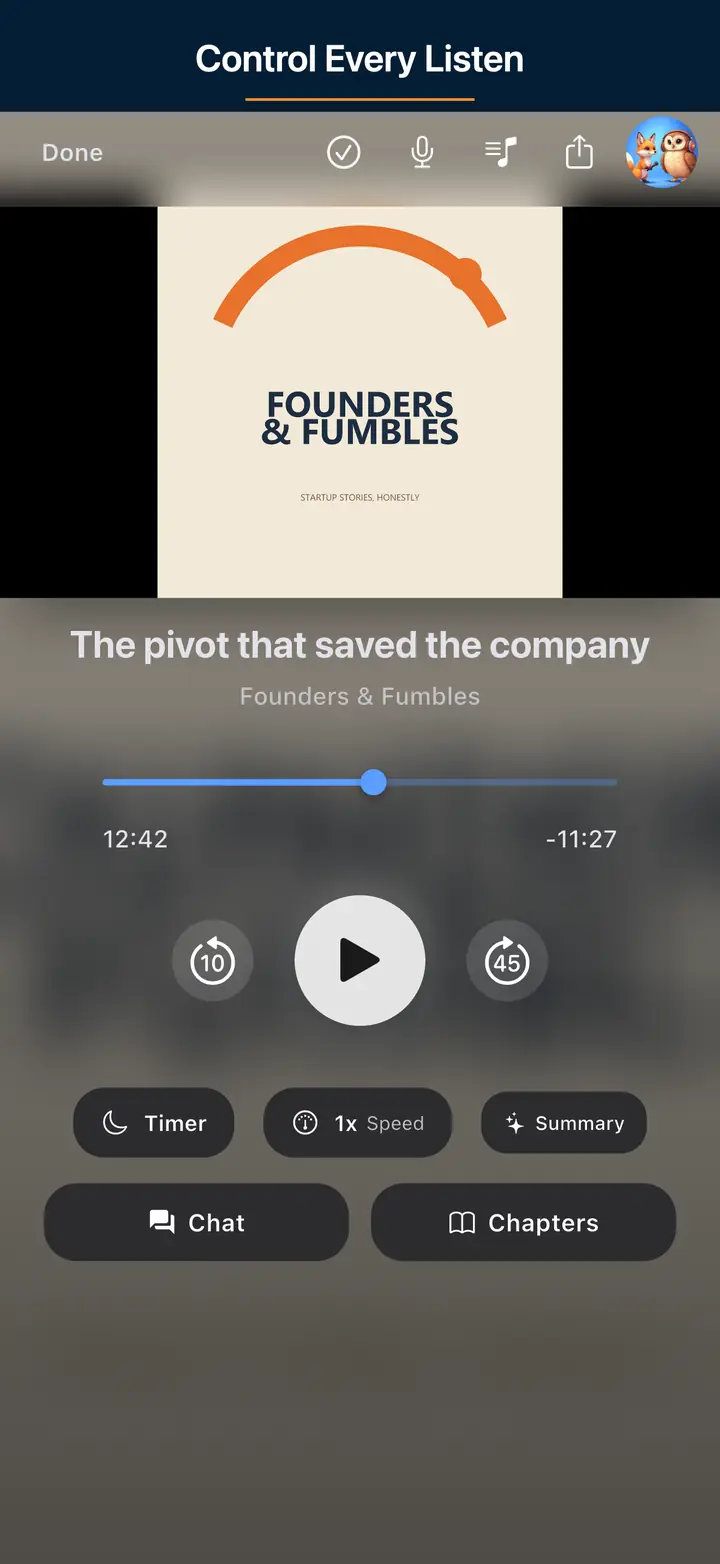
| Player without Brain | Use queue, speed, sleep, chapters, CarPlay/Android Auto with Brain off / not subscribed | Everyday player works; Ask · Ideas · Recall · Signals stay optional Premium |
| No app-inserted ads | Listen on free core | We do not insert our own ads into playback; publisher/platform mid-rolls may still play |
| Lock screen and notification | Start an episode, lock the phone, use the lock-screen or notification controls | Play, pause, skip, and scrub without unlocking; playback continues with the screen off |
| Siri (iOS) | Allow Siri when asked, then say “Hey Siri, play [show name] in The Podcast App” | Playback starts from a followed show; if Siri is denied, the player still works by touch |
| Subscribe by RSS URL | Paste a feed URL (or the show’s website) into search | The feed is read and the show is followed; a site URL is scanned for its feed first |
Premium is the AI layer, not a bribe to unlock listening. If you never want Brain, stay on free.
Subscribe, search, queue, variable speed, sleep timer, chapters, OPML import and export, unlimited offline downloads, CarPlay, Android Auto phone projection. Transcript creation, episode chat, summaries, and AI chapters on eligible episodes, within daily limits. No app-inserted ads. Host mid-rolls may still play.
Podcast Brain (Ask · Ideas · Recall · Signals) asks across eligible transcript-backed listening history and returns source-backed answers. Study flashcards, saved briefs, translated audio, and Synthesis Radio sit behind the same gate. All optional. You do not need any of it to finish an episode.
Not absolutely ad-free. Not a fake affiliate “#1”. Not Wear shipped. Not unlimited free Brain. Not a Snipd replacement. Competitor prices are omitted on purpose — check each vendor.
If Overcast’s iOS tools, Pocket Casts’ web desk, Apple’s built-in player, or AntennaPod’s FOSS control already win your matrix, keep them. Export OPML first so the library stays portable.
We used to publish a separate page for every feature and every audience — lock-screen controls, Siri, transcripts, dark mode, “best podcast app for nurses”. They said the same thing with a different noun, so we folded them into this hub. Jump to the part you came for. Each section says what the free player does, what Premium adds, and what we do not ship.
None of this needs Premium or an account. Where a control is platform-specific, the platform is named.
Play, pause, skip forward and back, and scrub from the lock screen, the media notification, and headphone or Bluetooth buttons on iOS and Android. Background playback keeps running with the screen off — streaming or from a download.
Add episodes to the queue, drag to reorder, and let Auto-play next (Settings) roll into the following episode. There are no user-built playlists: the queue is the playlist, and we say that rather than rename a queue “smart playlists”.
Publisher chapters — the Podcasting 2.0 chapters tag or embedded chapter data — show in the player with tap-to-jump. Season numbers and trailer or bonus episode types come straight from the feed. Generated chapters exist too, on eligible transcript-backed episodes, within daily limits.
Presets from 0.75× to 2.0× plus a fine slider down to 0.25×. Skip Silence trims dead air and Voice Boost (dynamic-range compression) lifts quiet voices — both apply on Android. On a device that cannot apply them, the toggle says so instead of pretending.
Sleep for a set number of minutes or to the end of the episode. Theme follows the system, or lock it to light or dark in Settings.
When a matching video exists, watch it in the app and pop it into picture-in-picture from the full-screen player. The free plan has a daily cap on unique video episodes; Premium lifts it. Audio playback and audio downloads are not capped.
No home-screen widgets. No equalizer. No Wear OS listening surface. No Android Automotive OS build. If any of those decides it for you, pick from the grid above.
Voice is a play channel here, not a way to run Premium AI. Car surfaces are phone projection, not head-unit apps.
Say “Hey Siri, play [show name] in The Podcast App”. The app registers Siri media intents; you grant Siri access once. If you decline, the player works by touch exactly as before.
“Play [show name]” requests from Android’s voice surfaces reach the app through the system media session — the same path Android Auto uses for voice search. We do not ship a separate Google Assistant action, and we do not claim one.
CarPlay on iPhone. Android Auto phone projection on Android: browse followed shows and the queue, play, skip, steering-wheel controls. Android Automotive OS — a head unit with no phone — is not supported.
No smart-speaker or smart-TV app. No Wear OS listening surface. Bluetooth speakers and headphones work through the normal system audio route, which is the OS doing its job, not a feature we sell.
Two layers again. Transcript-backed tools on a single episode are free within daily limits. Podcast Brain — across your listening history — is Premium.
When a feed ships a transcript (Podcasting 2.0 transcript tag), it shows in the app. For episodes without one, transcript creation is available on the free plan within daily limits and an episode-length cap. Generated text is readable, not a promise of perfect captions.
Once a transcript exists you can chat with that episode and get answers grounded in it, citing the transcript when the evidence is there. Free within daily limits. Answers come from that episode’s transcript, not from the wider web.
Episode summaries, the key moments derived from them, and generated chapters run on eligible transcript-backed episodes within daily limits. Not every episode qualifies; when one does not, the section says so rather than inventing content.
Ask · Ideas · Recall · Signals. Ask questions across the episodes you listened to that have transcripts. Ideas surfaces insights from what you heard. Recall is spaced review of saved insights, with a due-today count. Signals is scan mode for storylines and shifts. “Cross-episode memory” means this eligible history, not every podcast ever published.
The “Create Study Flashcards” episode action, saved episode briefs, translated audio, and Synthesis Radio — the cited spoken briefing built from your eligible listening — are Premium and depend on transcript quality, language support, and processing.
Library → Stats shows hours this week, this month, all time, and your streak. Episode pages show Podcasting 2.0 person credits (hosts and guests) and publisher soundbites when the feed provides them. There are no user-made highlight clips or manual notes; share the episode link instead.
Two platforms, one library, optional sign-in. The list of things we do not run on is deliberate, not an oversight.
iPhone and iPad (one iOS app), Android phones and tablets. No macOS, Linux, Windows, web, or TV player. A Chromebook is not a target we test or claim.
Signing in is optional. When you do, subscriptions, queue, listening history, and playback positions sync across your devices. Signed out, everything stays on the one device you are holding.
Follow shows, download, and listen without creating an account. An account is needed for sync and for Premium — nothing else.
Paste a feed URL, or a show’s website, into search to follow it. From the feed we read chapters, transcripts, funding links, person credits, podrolls, soundbites, and alternate enclosures. We do not read the Podcasting 2.0 GUID tag yet, so we do not claim it.
Downloads are unlimited on the free player; the only bounds are storage and your own auto-download setting. Premium does not unlock downloads — it unlocks Podcast Brain.
Import and export public RSS follows in Settings → Manage Subscriptions. OPML does not carry downloads, history, or queues. The switch guide has the full path.
We removed the “best podcast app for nurses” pages because the app has no nurse mode. What differs between people is which rubric row bites. Find your row.
| Your context | Rows that decide it | What to check in the app |
|---|---|---|
| No signal — commutes, flights, hiking, the beach, van life, long-haul driving | Offline, battery | Download on Wi‑Fi, play with the screen off, set your own auto-download limit. Unlimited on free. |
| Behind the wheel | Car, voice | CarPlay or Android Auto phone projection; “play [show name]” by Siri on iOS or Android voice. |
| Hands busy — cooking, cleaning, gardening, dog walking, workouts, cycling | Lock screen, voice | Lock-screen, notification, and headphone controls; Siri on iOS; the sleep timer for the wind-down. |
| Study and work — students, researchers, clinicians, lawyers, developers, journalists | Transcripts, AI vs player-only, speed | Transcripts, episode Q&A, and summaries within free daily limits; Premium flashcards and Recall; 0.75×–2.0× speed. |
| Routines — mornings, sleep, focus, working from home | Queue, sleep timer | Queue plus Auto-play next; end-of-episode sleep timer; Skip Silence on Android. |
| Households — parents, teachers, teens, older adults | Ads, simplicity | No app-inserted ads, though host-read mid-rolls may still play; no account needed to start. There are no parental controls — we say so. |
| Topic seekers — art, food, horror, crypto, faith, languages, gaming, science | Discovery | A player has no genre mode. Start with the discovery guide and popular shows, then follow by RSS. |
Export from Apple Podcasts, Pocket Casts, Overcast, or AntennaPod. Import once. Verify niche feeds. Re-download commute episodes on Wi-Fi. Auto-download starts off so the library does not fill cellular storage on arrival.
Smart Ad-Skip is a one-tap skip on supported podcasts, not a universal skip. It does not strip or permanently remove host-read audio ads from the file. Host mid-rolls may still play when Ad-Skip does not apply. See the no app-inserted ads page for the full two-ad-layers explanation.
There is no universal number-one podcast app. Score candidates on offline downloads, ad model (app-inserted inventory versus host-read mid-rolls), OPML portability, car support, battery habits, and whether you want optional AI or a player-only app. The Podcast App publishes this page and scores itself on that same rubric.
The player is free for core listening: subscribe, queue, speed, sleep timer, OPML, and unlimited offline downloads. Premium is for Podcast Brain and related AI. You can use the player without Premium.
No. The Podcast App does not insert its own banners or player ads. Host-read mid-rolls inside a show's audio can still play. That is publisher content, not app inventory.
Smart Ad-Skip is a one-tap skip on supported podcasts, not a universal skip. It does not strip or permanently remove host-read audio ads from the file. Host mid-rolls may still play when Ad-Skip does not apply. See the no app-inserted ads page for the full two-ad-layers explanation.
Export an OPML file from your current app and import it in The Podcast App. OPML moves public RSS follows. It does not copy downloads, history, queues, or playlists. Use the switch guide to import once, verify niche feeds, then re-download commute episodes on Wi-Fi.
Yes, if they win your constraints. Pocket Casts if you want a mature cross-platform player plus web. Overcast if you are iOS-only and like its listening tools. Apple Podcasts if you want the built-in Apple player. AntennaPod if you want Android open-source control. Score them on the same rubric.
Brain is optional Premium AI on top of a usable free player. It is not a Snipd replacement claim, and Wear OS is not a shipped listening surface.
Yes. Play, pause, skip, and scrub from the lock screen and the media notification on iOS and Android, with background playback while the screen is off. The sleep timer runs for a set time or to the end of the episode. Publisher chapters show in the player with tap-to-jump; generated chapters run on eligible transcript-backed episodes within daily limits.
On iOS, “Hey Siri, play [show name] in The Podcast App” works through Siri media intents, and CarPlay is supported. On Android, “play [show name]” voice requests reach the app through the system media session, and Android Auto phone projection is supported. Android Automotive OS, smart speakers, smart TVs, and Wear OS are not supported.
No. There is no home-screen widget, no equalizer, and no desktop, web, or TV player. The app runs on iPhone, iPad, and Android phones and tablets. Skip Silence and Voice Boost apply on Android; the setting tells you if your device cannot apply them.
Publisher transcripts show when a feed ships them. Transcript creation for other episodes is available on the free plan within daily limits and an episode-length cap, and you can chat with an episode once its transcript exists, also within free limits. Summaries and generated chapters run on eligible episodes within daily limits too. Study flashcards, Recall, translated audio, and Synthesis Radio are Premium Podcast Brain features and depend on transcript eligibility.
| Field | Evidence |
|---|---|
| Test date | September 10, 2026 (grid); September 12, 2026 (feature sections re-checked against the shipping app source) |
| What we did | Opened our free player and verified offline downloads, OPML import path, Smart Ad-Skip eligibility behavior, and Brain optional — then filled the same constraint rows for competitors from public product behavior without inventing. For the feature sections we checked each claim against the app’s own code: media-session controls, queue reorder, chapter parsing, Skip Silence and Voice Boost platform gates, Siri media intents, Android Auto descriptor, transcript and chat limits, Premium gates on flashcards, translated audio, and Synthesis Radio |
| Measured outcome | In-app verify table on this page matches what we could reproduce; every “not shipped” line is a feature we looked for and did not find |
| Product truth | We are the publisher; conflict of interest disclosed |
Free player. Unlimited offline downloads. No app-inserted ads. Optional Premium Brain. Host mid-rolls may still play.