
Yes. The Podcast App web player lets you search millions of shows and play supported episodes directly in your browser — no download and no account needed. Type a show name, open its episode list, and press play. It works on desktop and mobile browsers, so you can start listening in seconds when installing an app isn't practical.
Stream podcast episodes free, right in your browser
This page is the free online/browser player — search and stream in your browser (no offline). The iOS/Android app is a separate product with unlimited offline downloads, sleep timer, chapters, CarPlay/Android Auto, and OPML.
| Job | This browser player | iOS / Android apps |
|---|---|---|
| Sample a supported episode | Yes | Yes |
| OPML import / switch | No — use the apps | Yes |
| Unlimited offline downloads | No | Yes — free (Premium ≠ downloads) |
| Podcast Brain | No | Optional Premium layer |
What can you verify — browser player vs iOS/Android apps?
This page samples in the browser. The installable apps hold OPML, unlimited offline, and optional Brain.
| Check | In-app path | Named outcome |
|---|---|---|
| Browser sample | Play a supported episode in this page | Stream/sample in browser — no offline in the browser player |
| OPML / switch | Use the iOS/Android apps: Settings → Manage Subscriptions → Import | OPML import is in the apps, not this browser player |
| Unlimited offline | Download in the iOS/Android apps on Wi‑Fi | Unlimited offline downloads free on the apps — Premium ≠ downloads |
| Brain | Optional Premium in the apps | Not available in the browser player; optional on iOS/Android |


Popular Podcasts
Want more from this podcast?
This page is the free online/browser player (streams in-browser, no offline). The mobile app is a separate product with unlimited offline downloads, sleep timer, and chapters on free; AI summaries and Podcast Brain are Premium.
Get the app
Episodes
What can the browser player do — and what can't it?
The web player at thepodcastapp.dev/player is a genuine, no-install listening tool, not a landing page dressed up as one. Type a show name into the search bar and it queries the same public podcast index the mobile app uses, pulling in millions of shows across every category. Open a result and you get the full episode list for that feed, complete with artwork, descriptions, and publish dates. Press play on any supported episode and audio starts streaming immediately in a sticky mini player at the bottom of the screen, with seek, a 15-second rewind, a 30-second skip, variable speed, and volume - no account, no download, and no sign-up screen in the way.
It also has honest limits worth knowing before you rely on it. A podcast's episodes are only as playable as the publisher's own hosting allows: some hosts restrict direct browser playback with CORS (cross-origin resource sharing) rules that block the audio file from loading on a third-party webpage, and video-only or DRM-protected content generally cannot play through a plain browser audio player at all. When that happens, the player shows a clear error rather than a silent failure or a fake spinner. There is no attempt to fake support for something that will not actually play - if a show does not stream here, the honest answer is to open it in the app instead.
The web player earns its keep in specific situations: a quick listen from a work computer where installing an app is not an option, sampling an unfamiliar show before deciding whether it is worth adding to your library, or sending a friend a direct link to a specific episode without asking them to download anything first. What it deliberately does not try to replace is the full app experience. Unlimited offline downloads (free on the mobile app), CarPlay/Android Auto, sleep timer, chapters, OPML, cross-device sync of your queue and playback position, and the optional Brain AI search all live in the native app — a separate product from this browser player, because they depend on persistent local storage and platform integrations a browser tab cannot provide.
Technically, the player works by resolving a podcast's public RSS feed - the same open, standard format every podcast app reads - fetching the episode's audio enclosure directly, and streaming the raw file straight from the publisher's own servers to your browser. Nothing is re-hosted, transcoded, or proxied through The Podcast App's infrastructure first; your browser talks straight to the source. That is also why playability varies by show: this player is not gatekeeping anything, it is entirely dependent on whichever hosting provider the podcast's publisher chose and whether that provider allows direct browser requests.
First-party evidence
How we tested the browser player against the apps
What this page does when you press play, and what the iOS/Android apps do differently — from the code, not a feature matrix.
| What we checked | What we found | Check it yourself |
|---|---|---|
| Where the audio comes from | Search and episode lists come from our index endpoint; the audio file itself streams straight from the publisher’s host. We do not proxy, re-host or transcode it. | Open the browser’s network panel while an episode plays — the media request goes to the publisher’s CDN. |
| Why some episodes refuse | If the host blocks cross-origin playback (CORS) or the file is video-only or DRM-protected, the player shows an error message instead of a fake spinner. | Try a show that fails; the message names it. Then open it in the app. |
| Controls that exist here | Play/pause, 15 s back, 30 s forward, a seek bar, 0.5×–2× speed and volume. Speed and volume hide on narrow phones; transport stays. | Resize the window and watch the mini player. |
| What only the apps do | Unlimited offline downloads on free, OPML import/export, sleep timer, chapters, CarPlay, and optional Podcast Brain. | Download an episode in the app; it plays in airplane mode. |
| How the app plays audio | One shared audio engine. On Android it begins playback after about 350 ms of buffered audio, then holds at least 45 s of buffer against network drops; hardware audio offload is disabled because it produced static and popping in our testing. | Start a stream on weak Wi‑Fi: it starts fast and survives short drops. |
How this page was produced: The browser player’s behaviour is readable in this page’s own script (view source). The app rows are read from the audio engine’s configuration in the app source — buffer and offload settings — on September 11, 2026. The screenshot is from our store-listing capture corpus.
Further reading
Sources and further reading
- Apple PodcastsApple's official podcasts app/platform homepage
- SpotifySpotify homepage (podcasts + music listening)
- Pocket CastsCross-platform podcast player (Automattic)
- Podcast IndexOpen, independent podcast index and API
- Listen NotesPodcast search engine and API
- Edison ResearchLeading US audio/podcast audience research firm
- PodnewsDaily global podcast-industry news of record
- The Podcast Academy (The Ambies)Membership body behind the Ambies awards
Web player
Sample in the browser, then continue offline in the iOS/Android apps
This page is the free online/browser player. The mobile app is a separate product: unlimited offline downloads on free, plus sleep timer, chapters, CarPlay/Android Auto, and OPML. The web player streams in-browser and has no offline. See the free app, switch with OPML, OPML export without an account, and how to listen without Wi‑Fi.
Next: free app, open app. Catalogs: Podcast Index, Listen Notes.
Editorial depth
What player basics are worth learning once?
A good podcast player is muscle memory: play/pause, scrub, speed, sleep timer, chapter skip, queue reorder, and download state. If those controls fight you, the rest of the app does not matter.
Learn these once: long-press speed presets; sleep timer that actually stops audio; chapter list when publishers ship chapters; queue vs downloads as separate concepts. CarPlay on iOS are not “bonus” — test them before a road trip.
Platform references: Apple CarPlay, Android, open listening stats context from Edison Research.
Related: speed control · sleep timer · best app 2026 · free player with no app-inserted ads · what ad-free means here · podcast app for battery life · optional Podcast Brain · AI podcast player · Apple Podcasts alternative that keeps OPML.
In your language
The Podcast App, running in this language.
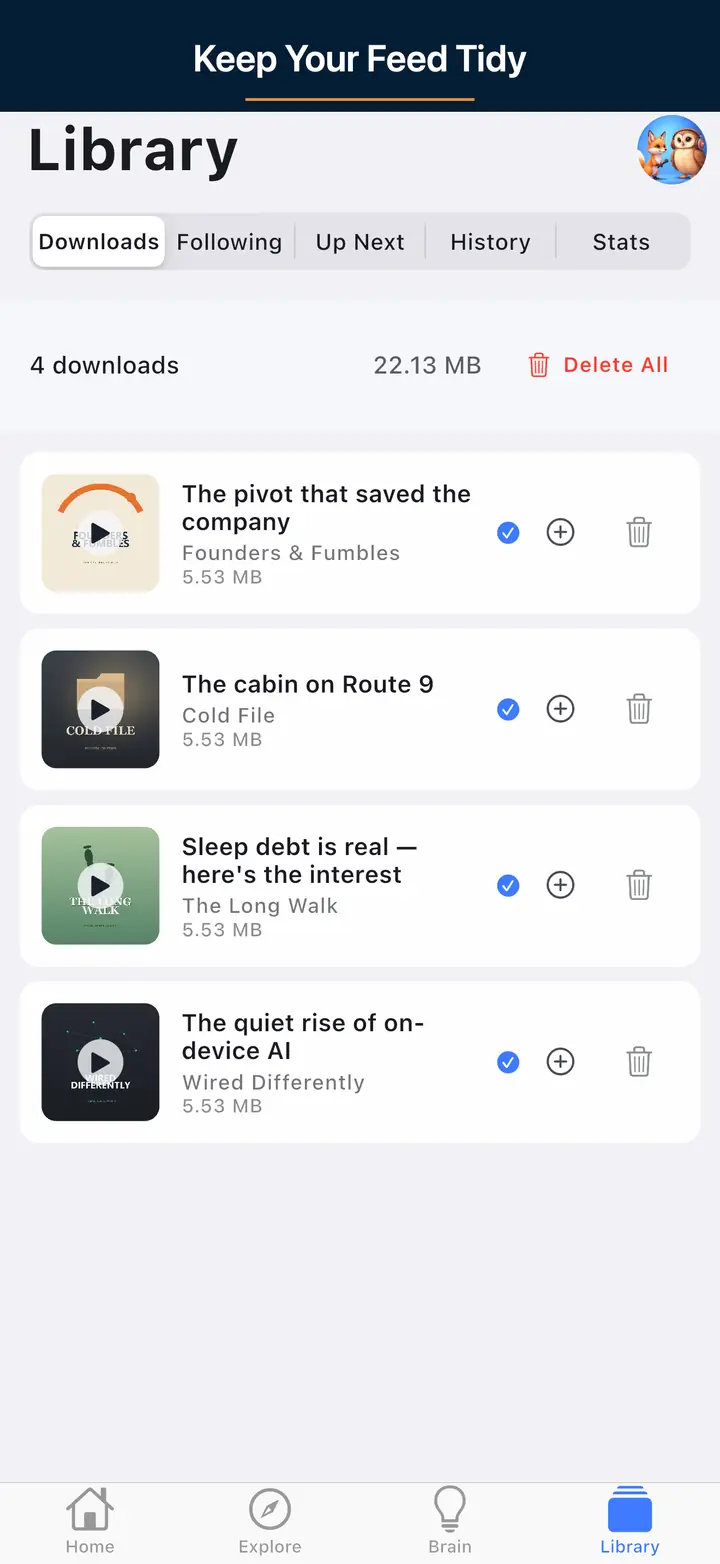
These are real screens from the app, not mockups. Every menu, button, and label is translated, so the app looks like this as soon as you install it.
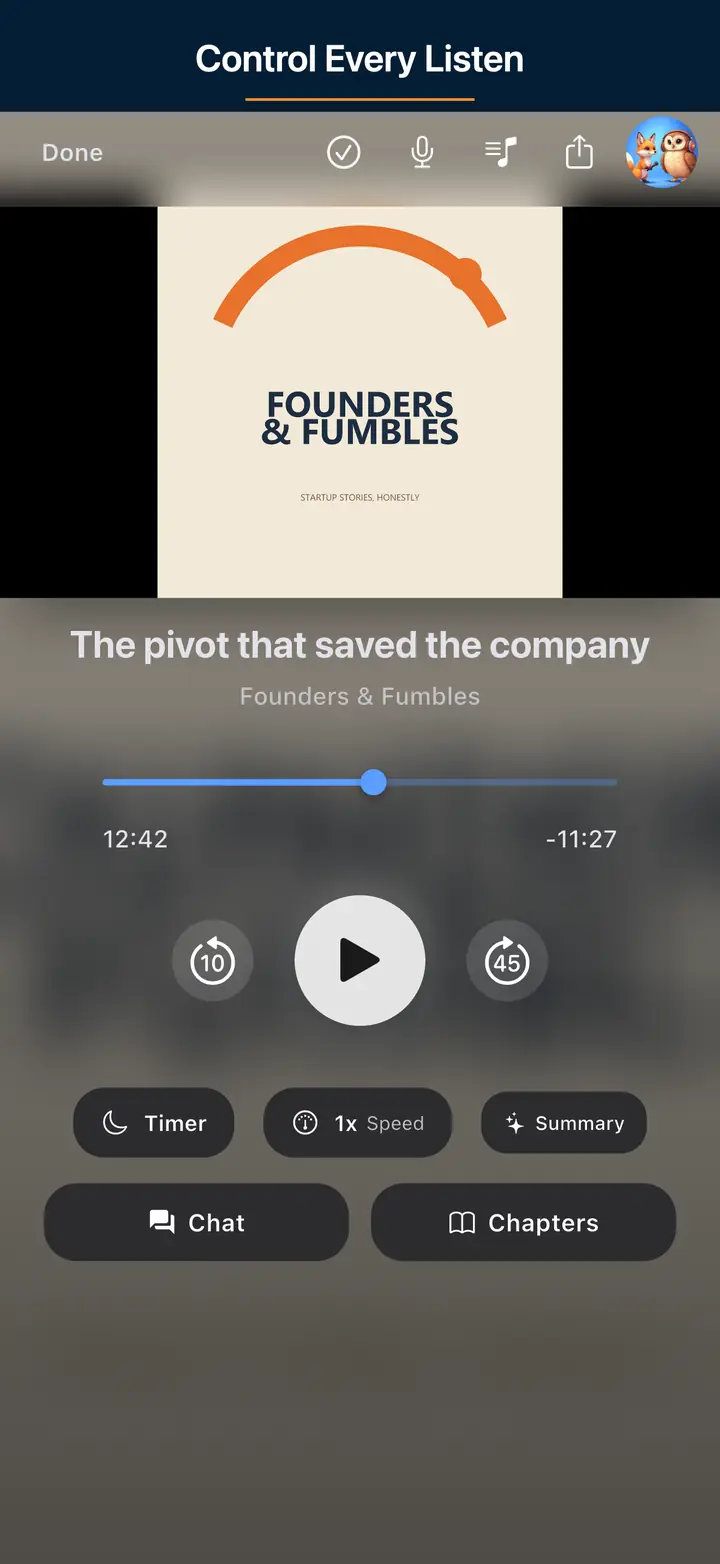
The audio player screen 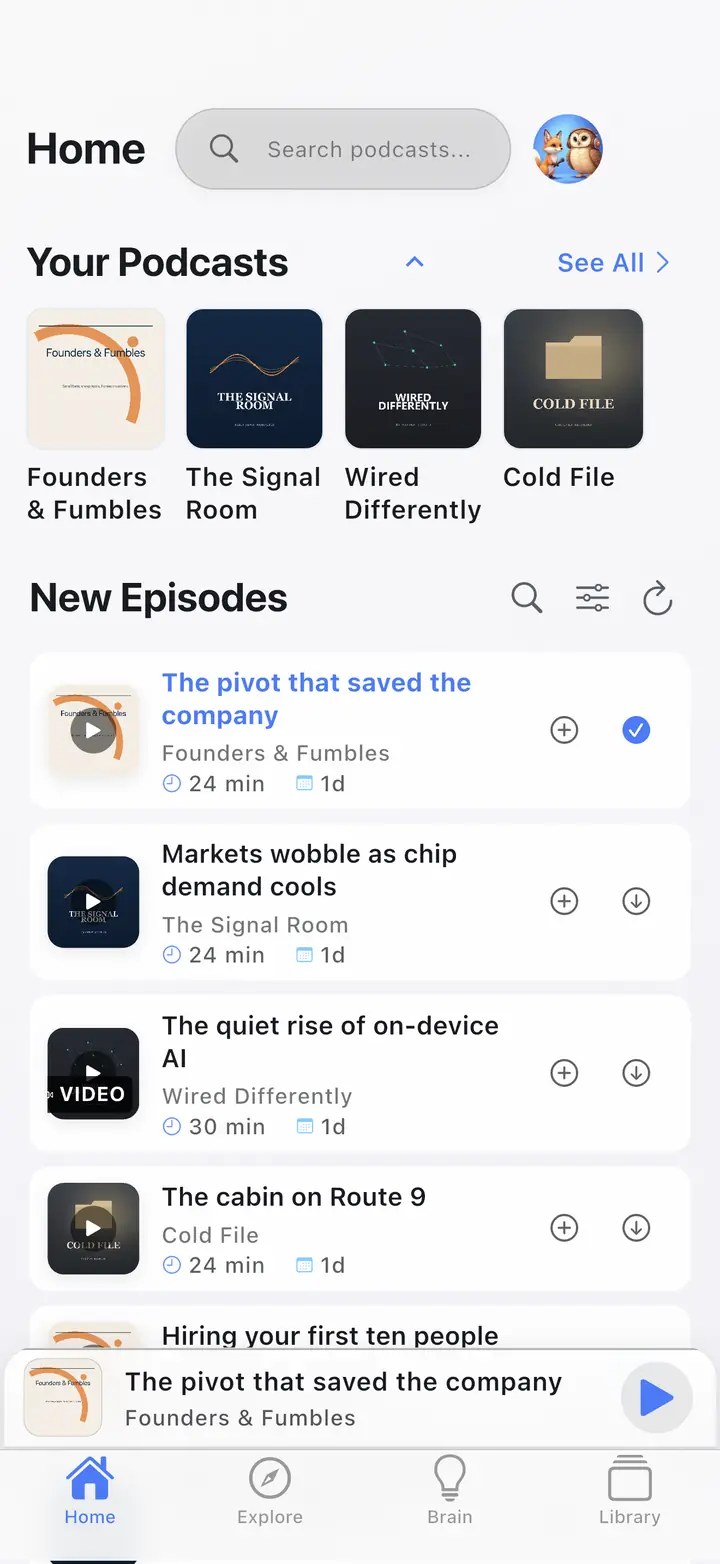
The home screen The downloaded episodes screen 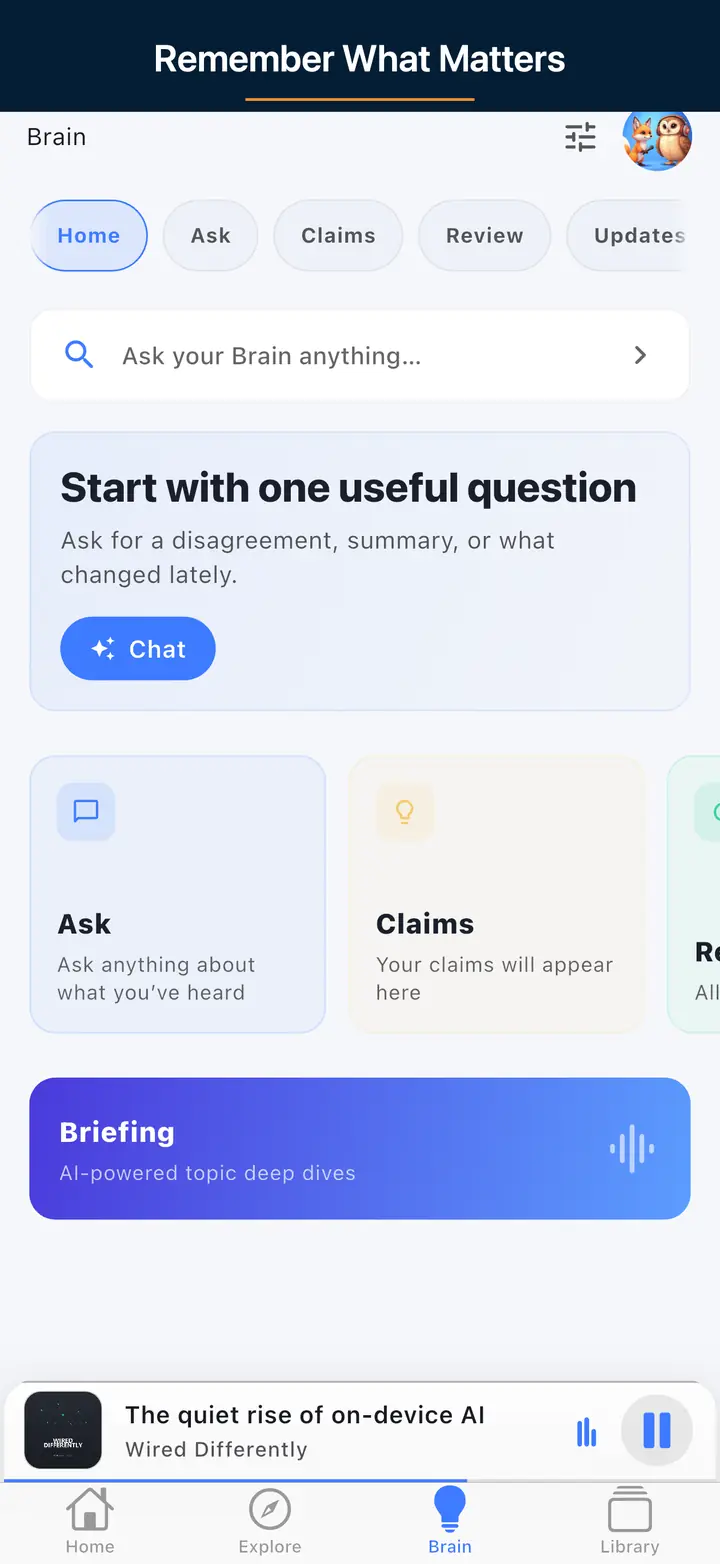
The AI assistant screen
FAQ
Your Questions, Answered
Yes, the web player is free for core listening. You can search shows, browse episodes, and play supported audio with standard controls like play, pause, seek, a 15-second rewind, a 30-second skip, speed adjustment, and volume. There's Premium is optional for advanced features for searching or playing episodes in the browser. Premium AI features such as Podcast Brain live in the mobile app, not the web player.
Some podcast hosts block direct browser playback using CORS (cross-origin resource sharing) rules, which stops the audio file from loading in a webpage. When that happens the player shows a short error message. The full iOS and Android app fetches audio differently and can play these episodes reliably, so installing it is the fix if a specific show won't stream in your browser.
The sticky mini player gives you play and pause, a 15-second rewind, a 30-second forward skip, a draggable seek bar with elapsed and total time, variable speed from 0.5x to 2x, and a volume slider. On narrow phone screens the speed and volume controls are hidden to save space, but core transport controls stay available so you can manage playback comfortably.
Use the web player for a quick listen at your desk or when you can't install anything. Choose the mobile app when you want more: unlimited offline downloads, a sleep timer, chapters, OPML, cross-device sync, and CarPlay or Android Auto. The web player streams in-browser (no offline). AI summaries, Podcast Brain, and Synthesis Radio are Premium features in the app. Both share the same catalogue, so you can move between them easily.
Also useful
Product and alternative pages
Live product pages only. Ad-Skip is on supported shows, not every host-read mid-roll.