Method 1: Delete in-app

This is the recommended path when you can still access the app.

  • Open The Podcast App.
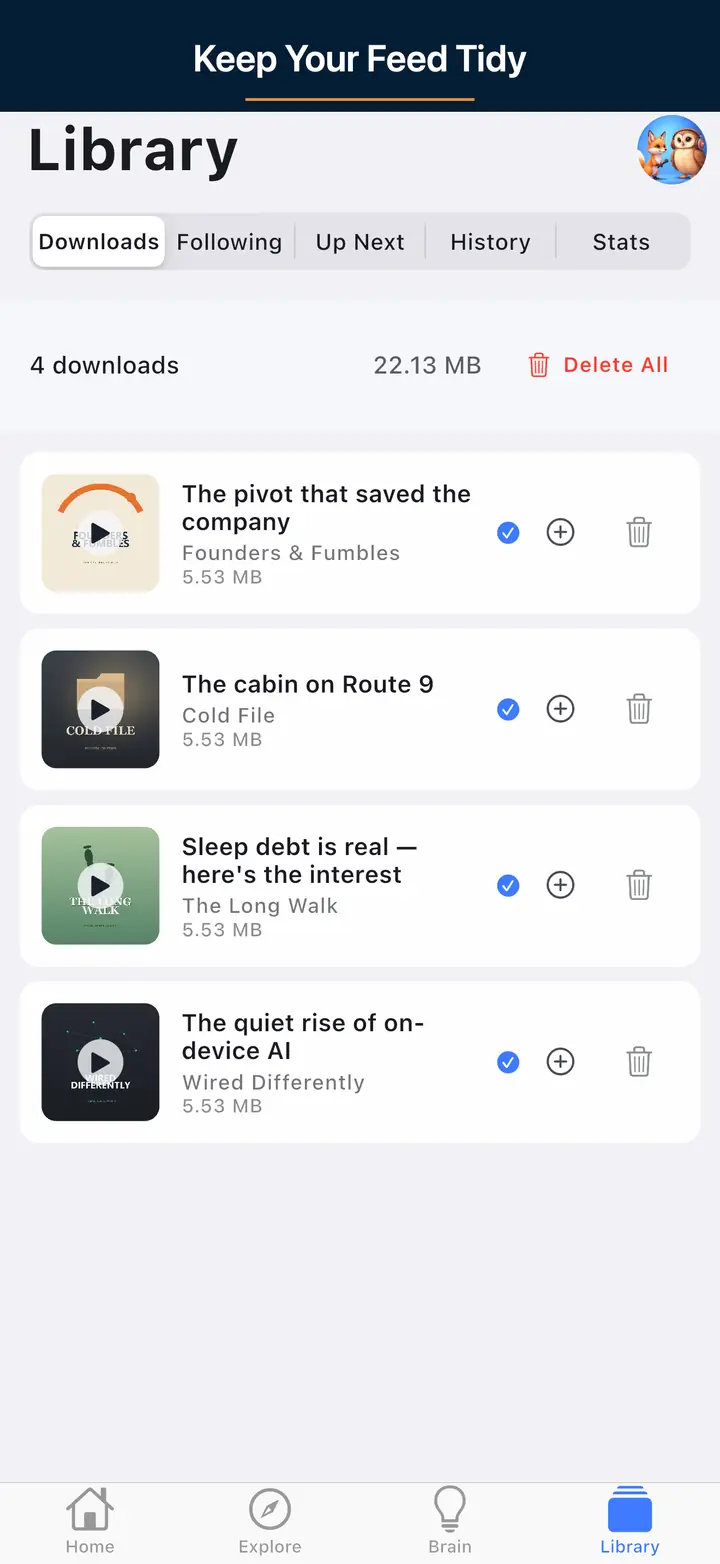
  • Go to Library, then Settings.
  • Under Account, tap Delete Account.
  • Confirm deletion.

Most deletions from inside the app are processed immediately.

Important

Account deletion is permanent and cannot be undone.

Method 2: Email request

If you cannot access the app, email us and include the account email address you used in the app.

Typical processing time is within 72 hours after identity verification.

What gets deleted

  • Your account profile and authentication linkages.
  • Cloud-synced subscriptions, queue, favorites, playback history, and positions.
  • User-linked AI chat and transcript artifacts associated with your account.
  • Other account-associated application data under our control.

What may persist

  • Store transaction records required for financial or compliance obligations.
  • De-identified operational logs retained for security and abuse prevention.
  • Shared transcript cache entries not keyed to your personal identity.
  • Downloaded media files remaining on your device until you remove app data or uninstall.

Deleting your app account does not automatically cancel a store subscription. Cancel separately in Apple App Store or Google Play settings.

Delete your account and associated personal data.

Effortless Account Deletion with Complete Data Removal

At The Podcast App, we prioritize your control over personal information. If you decide to delete your account, we make the process seamless and transparent. When you initiate account deletion, all your personal data including listening history, preferences, and AI-generated insights are permanently removed from our servers. This ensures your privacy is fully respected, giving you peace of mind without any lingering data left behind.

Deleting your account is straightforward and designed to solve common concerns about data retention. Unlike other podcast players that require cumbersome steps or partial data removal, The Podcast App offers a clear and secure way to completely erase your presence from our platform. This is especially important if you want to protect your listening habits or simply prefer to start fresh without any account ties.

Our commitment to an experience without app-inserted ads extends to data privacy. We do not share your information with third parties, and deleting your account ensures all personal identifiers are wiped out. This empowers you to maintain full autonomy over your digital footprint while enjoying the advanced AI features that enhance your podcast experience during your time with us.

Should you choose to return to The Podcast App later, creating a new account is fast and easy. Until then, rest assured that your data is completely removed and inaccessible. This transparent approach to account deletion sets The Podcast App apart as the trusted choice for users who value privacy, simplicity, and control over their podcast listening journey.

What actually happens when you delete your account, step by step

Deleting your account is distinct from uninstalling the app or clearing local storage, and the difference matters for anyone deciding between the two. In-app deletion (Library, then Settings, then Delete Account) triggers a server-side removal of your cloud-synced profile: subscriptions, queue, favorites, playback history, and positions tied to your account are removed from our servers, typically processed immediately. Uninstalling the app alone only removes the local copy on that device and does not touch anything synced to your account.

If you used the optional Premium Podcast Brain, account deletion also removes the AI chat history and transcript artifacts tied to your account specifically, not the underlying transcript cache other users' queries may share, since that cache is not keyed to your personal identity. This is why de-identified data can persist even after a full account deletion: it was never linked to you in a form that identifies you once your account record is gone.

Account deletion does not automatically cancel a store subscription, since Apple and Google manage billing separately from the app account itself. If you deleted your account but still have an active Premium subscription, the charge continues until you cancel it directly in the App Store or Google Play subscription settings; deleting the account does not stop that billing on its own, which is a common point of confusion worth checking before you delete, since the two systems are not linked automatically.

The email request path is the fallback for anyone who cannot access the app anymore, such as after a phone is lost, sold, or reset, and it typically completes within 72 hours after we can verify the account email matches. Store transaction records required for financial or legal compliance, and any downloaded audio files still sitting on a device after uninstall, are the two categories that are not touched by either deletion path and need separate action: cancel the subscription in the store, and remove local files by uninstalling the app itself.

FAQ

Your Questions, Answered

No. Account deletion and store billing are handled separately by Apple and Google. If you have an active Premium subscription, it keeps billing until you cancel it directly in the App Store or Google Play subscription settings, even after your account is deleted.

Downloaded audio files remain on your device until you remove app data or uninstall the app. Account deletion removes your cloud-synced data from our servers but does not automatically clear locally downloaded episodes.

Email requests typically process within 72 hours after we verify that the account email you provide matches your account. In-app deletion through Library, then Settings, then Delete Account is usually processed immediately.

Yes, deleting your account removes the AI chat history and transcript artifacts tied to your account specifically. Shared transcript cache entries that are not linked to your personal identity are unaffected, since they were never keyed to you as an individual.

No, account deletion is permanent and cannot be undone. You can create a new account afterward, but your previous listening history, subscriptions, and settings will not carry over.

Further reading

Sources and further reading