
The test
Turn airplane mode on. If the episode still plays from Downloads, you are actually offline. If it buffers, you were still streaming.
Without Wi-Fi means a file on the phone, not a stream that hopes the radio holds. Download on Wi-Fi. Confirm the badge. Play from Downloads. Airplane mode is the test. Unlimited offline downloads are free. Premium is Brain — it does not unlock offline. The app does not insert ads; host-read mid-rolls already in the episode file may still play.
Last updated: September 10, 2026
| Step | What to do | Note |
|---|---|---|
| 1 | Import or subscribe on Wi‑Fi | OPML switch works on free |
| 2 | Download episodes | Unlimited offline is free — Premium ≠ downloads |
| 3 | Listen offline | No app-inserted ads on the player |
In-app outcomes competitors cannot SERP-copy from a “offline listening” bullet.
| Check | In-app path | Named outcome |
|---|---|---|
| Download without Premium | Open an episode → Download (on Wi‑Fi) | Unlimited offline downloads on the free player — Premium does not unlock downloads |
| Play offline / airplane | Turn on airplane mode or disable data; open Downloaded | Already-downloaded audio plays; catalog refresh / Brain generation need network |
| Storage ≠ paywall | Settings / storage for downloads | Disk space limits how much you pack — not a Premium gate on offline |
| Ads while offline | Play a downloaded episode | No app-inserted ads. Host-read mid-rolls already in the file may still play |


Turn airplane mode on. If the episode still plays from Downloads, you are actually offline. If it buffers, you were still streaming.
A download is audio stored on the device. A stream cache is leftover from a live connection. Cache is not a flight plan.
Phone storage is the limit. Delete finished episodes because the disk fills — not because a subscription meters files.
This is a pre-flight list, not a pricing page. The free podcast app page covers what is free versus Brain. This page is the connectivity job: subway, plane, dead zone, roaming off.
Home, office, hotel, airport lounge. Cellular is not the download path you want before a tunnel. Turn on Wi-Fi Only in download settings so a later auto-download does not quietly hit the mobile plan.
Do not download a backlog you will skip. Open tomorrow’s commute shows, the flight stack, the one episode you know you will finish. Auto-download per show is a storage preference you set — not a Premium allotment.
Tap download on the episode. Wait until it finishes. A preview, a half-buffered stream, or a row that still says streaming is not a file you can trust at 30,000 feet.
Look at Downloads. The badge has to show complete before you close the laptop tray. If it is still spinning, stay on Wi-Fi. Leaving early is how “offline” fails in the tunnel.
Airplane mode, subway, underground parking, roaming off. Then press play from the Downloads list — not from search, not from a show page that might try the RSS feed again.
Clear played files so the next trip has disk room. That is housekeeping, not a metered quota. Unlimited offline downloads are already on the free app.
Most “it worked yesterday without Wi-Fi” failures are cache confusion. You streamed an episode on LTE. The player kept a temporary buffer. Overnight the OS reclaimed space, the app refreshed the feed, or you opened the same title from search. On the plane it tries the network, finds none, and stops. That is not a broken download. There was never a durable file.
A download writes the episode to device storage and keeps it until you delete it or auto-remove played episodes. Playback then reads that file. Speed changes (0.75×–2.0×) happen on the client while you listen; they do not shrink the file you already saved. Skip silence, chapters when the RSS file includes them, and resume position work on the local file the same way they work on a stream.
Cellular fallback is not offline. Weak-signal streaming is not offline. “I had bars in the terminal” is not a plan for the cabin. If you need it without Wi-Fi, download it while you still have Wi-Fi, then prove it with airplane mode before you need it.
Apple documents episode downloads in Download podcasts. Independent players: Pocket Casts support, AntennaPod backup. Open catalog: Podcast Index.
Offline is specific. It is playback of files you already have. It is not a frozen copy of the entire internet.
Play, pause, scrub, skip, speed, sleep timer, chapters when the file has them, and delete from Downloads. CarPlay on iPhone and Android Auto can play those same local files without cellular.
Search, follow a new show, refresh RSS for unreleased episodes, OPML import, and optional Brain tools. Do that on Wi-Fi before you go. The player still plays what you packed.
You can download and listen with no account. An optional account syncs progress later. Downloaded files stay on the device that fetched them — they do not teleport to a second phone.
Spoken-word files are usually tens of megabytes per hour, not hundreds. A long-haul stack still adds up. Watch Downloads size. Auto-remove played episodes if you want the app to prune after you finish. Cap auto-download per show to the count you actually hear.
None of that is a Premium download pool. Unlimited offline downloads are free. Premium is Podcast Brain. It does not unlock airplane-mode playback or meter how many files you keep. Pricing split: free podcast app.
Download on Wi-Fi. Keep the files. Premium does not gate offline.
The app does not insert banners, feed units, or its own ad audio into listening. Publisher ads already mixed into the episode file still play — including host-read mid-rolls — because those are in the file you downloaded. That is the same boundary as no app-inserted ads. It is not an absolute ad-free claim.
This is not the battery page. Charge strategy lives on battery life. Here the job is signal: tunnels, rural stretches, international roaming off, cabin mode.
Road trip: download overnight on home Wi-Fi with Wi-Fi Only on. In the car, open Downloads or the queue you already filled. CarPlay (iPhone) and Android Auto play local audio without asking the tower. If a title is missing, you never finished the download — not a car bug.
Flight: pack more hours than the block time. Confirm every badge in Downloads at the gate, then airplane mode, then play. Do not start a download on boarding Wi-Fi and assume it finished after the door closed.
Subway / underground: the same rule. The train does not owe you LTE. If the episode is in Downloads, it plays. If you tapped play on a streaming row, it will stall at the first station gap.
Bring a library over with OPML on Switch while you still have Wi-Fi. Then download. Import does not download for you.
These are real screens from the app, not mockups. Every menu, button, and label is translated, so the app looks like this as soon as you install it.
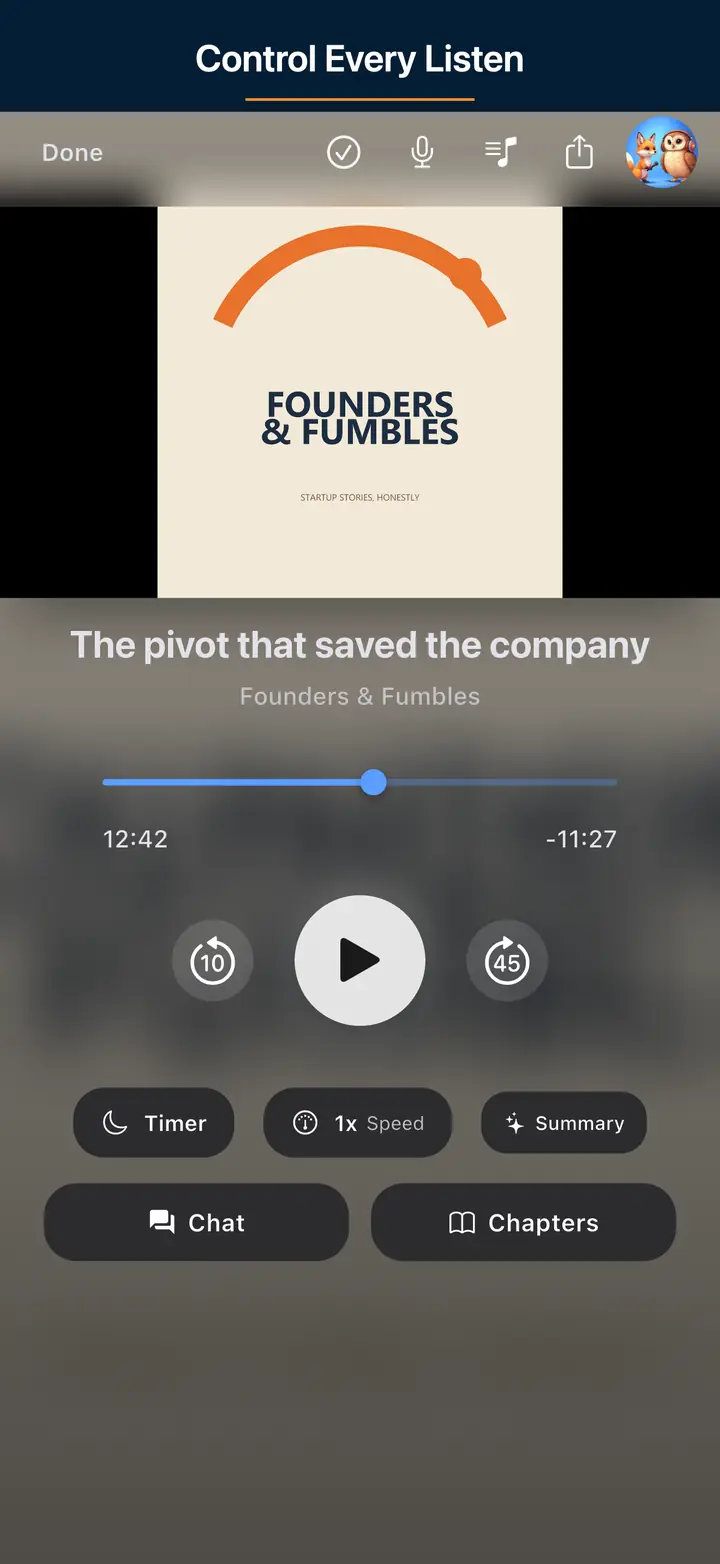
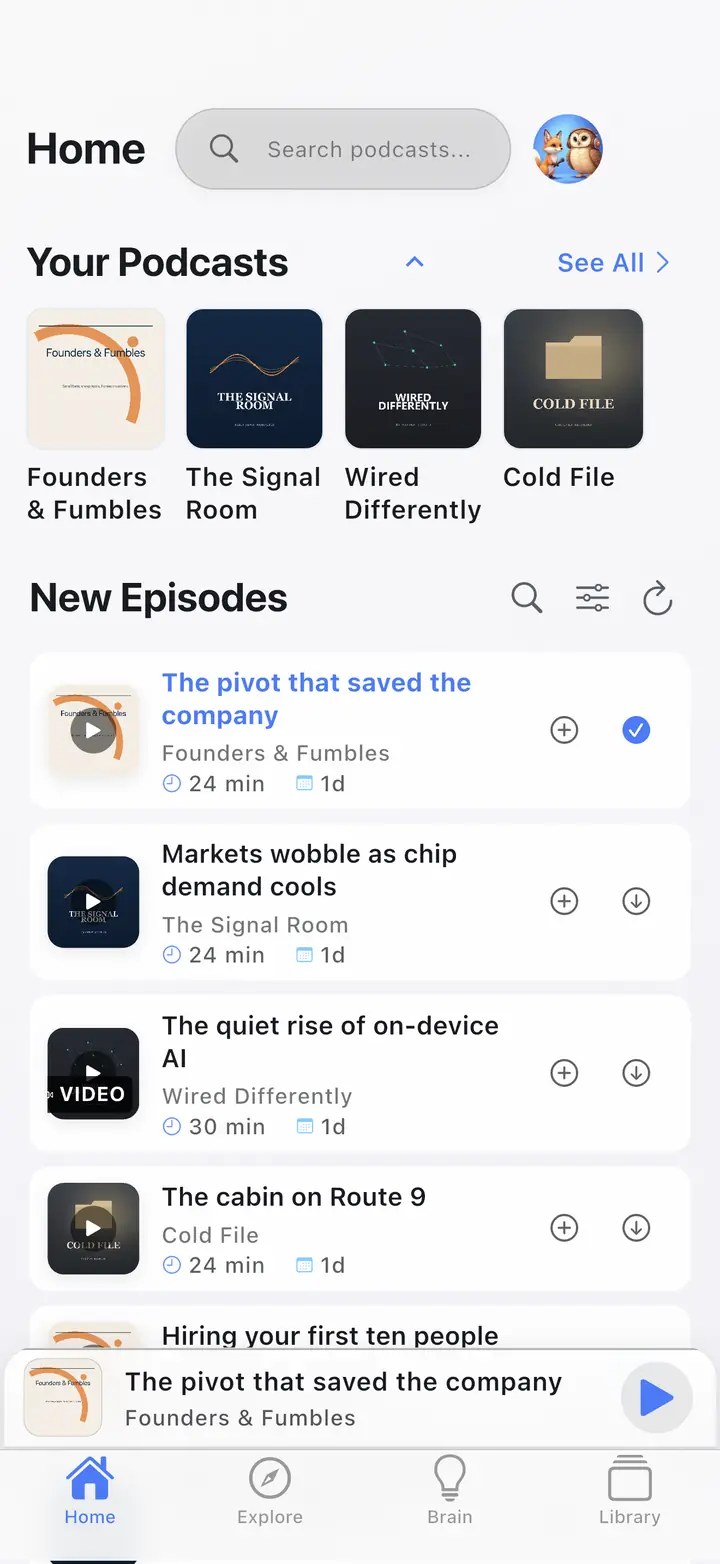
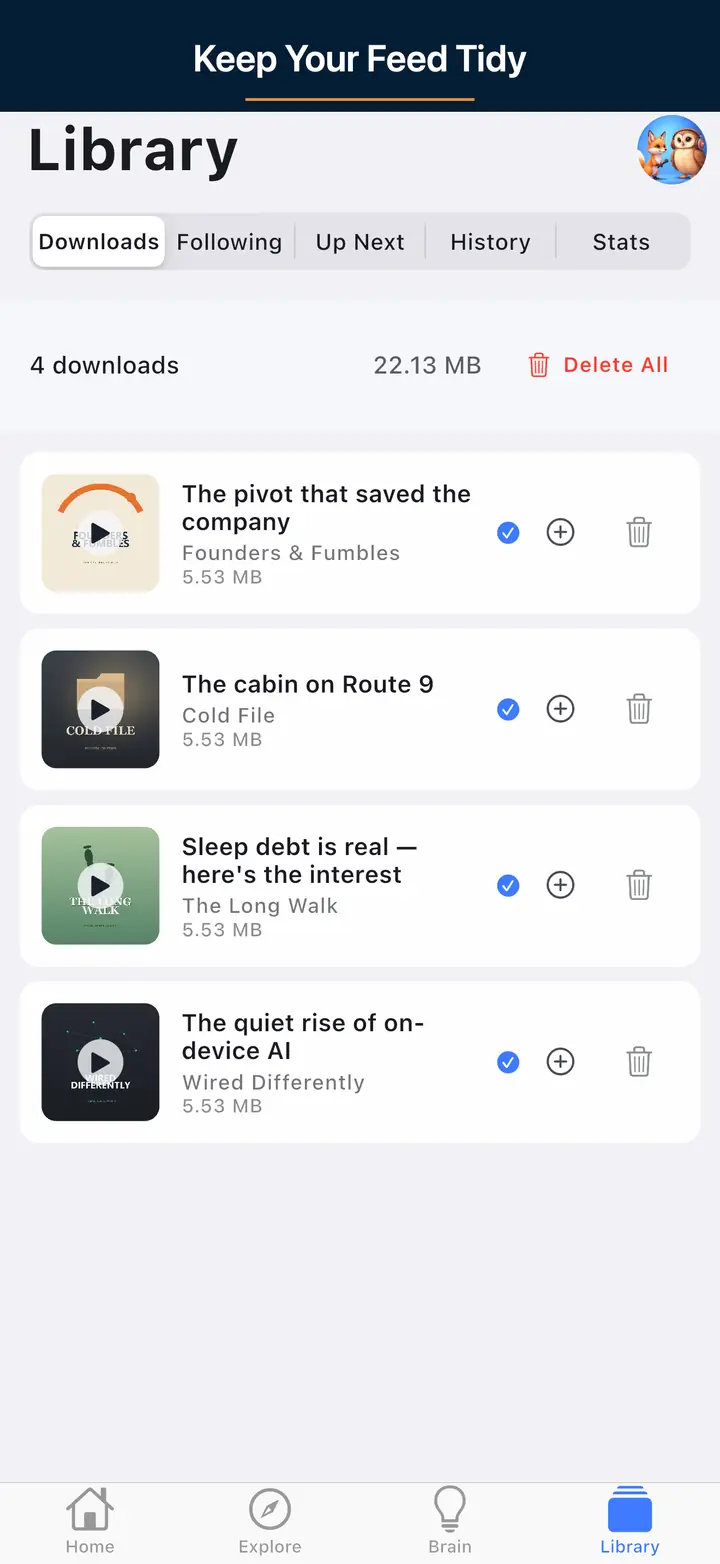
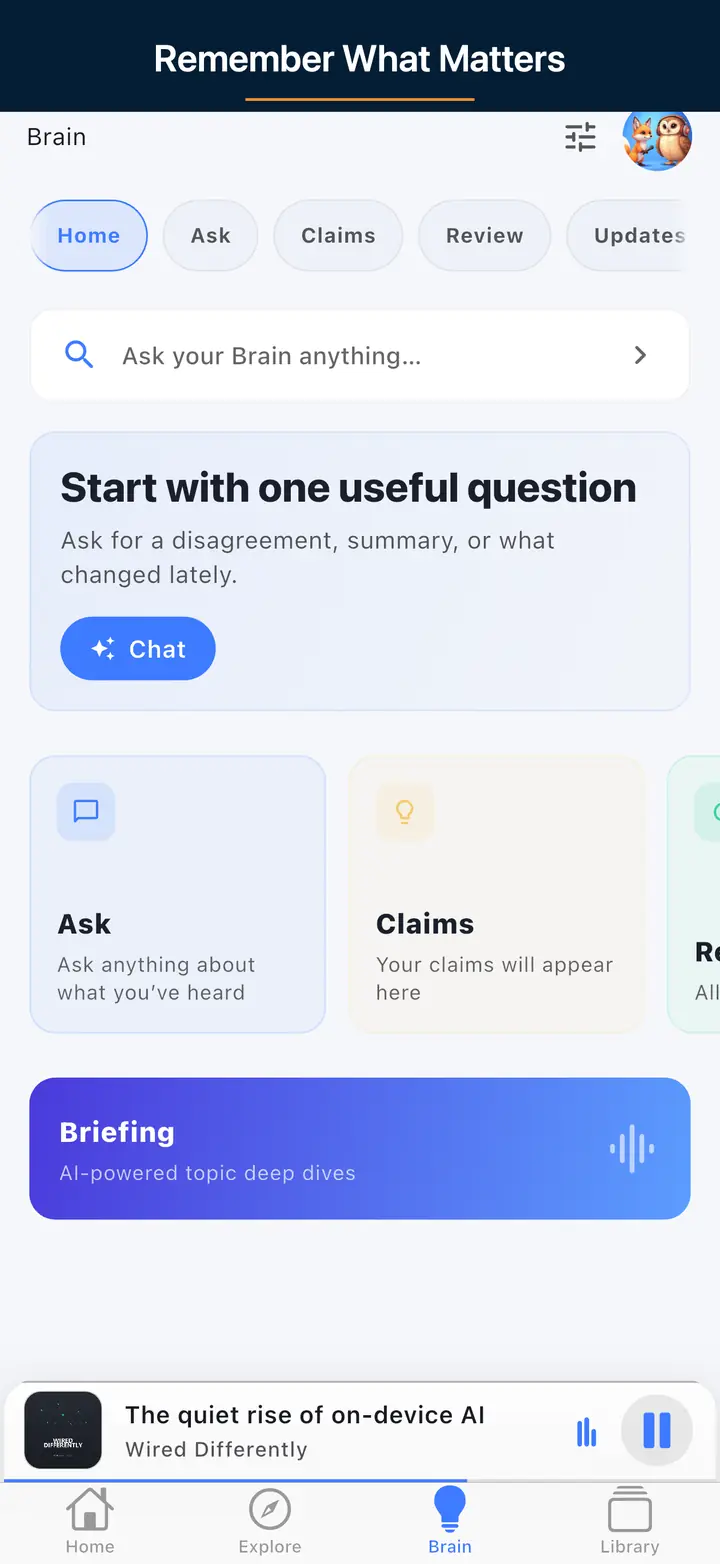
Download the episode while you still have Wi-Fi. Wait until the download badge shows the file is complete. Then open Downloads and press play. Do not play from search or a streaming row — those can try the network. Airplane mode is the test: if it plays with radios off, it is actually offline.
No. A stream cache is leftover audio from a live connection. It can expire, get evicted, or fail the moment the radio drops. A download is a file stored on the device. Confirm the download finished, then play that file. Cellular fallback is not offline.
Yes, if the episode finished downloading before you boarded. Turn on airplane mode and play from Downloads. Search, subscribe, and fetching new RSS still need a network. Already-downloaded audio does not. Host-read mid-rolls already in the episode file may still play; the app does not insert its own ads.
No. Unlimited offline downloads are free. Premium is Podcast Brain — optional AI. It does not unlock downloads, expand a download pool, or gate airplane-mode playback. Storage on the phone is the ceiling, not a subscription meter.
Yes. Turn on Wi-Fi Only in download settings so episodes fetch on home or office Wi-Fi and skip your cellular plan. Auto-download can restock subscribed shows overnight. The per-show auto-download count is a storage preference you set, not a paid download quota.
Yes for audio that already finished downloading. Download on Wi-Fi before the drive or flight. CarPlay on iPhone and Android Auto can play those local files without cellular. Brain stays optional and is not operated from the car dashboard.
Unlimited offline is free. Premium does not unlock it. Host mid-rolls in the file may still play. The app does not insert its own ads.
| Field | Evidence |
|---|---|
| Test date | September 10, 2026 |
| What we did | Downloaded episodes on Wi‑Fi in the free player, enabled airplane mode, played from Downloaded |
| Measured outcome | Already-downloaded audio played offline; catalog refresh required network |
| Product truth | Unlimited offline downloads on free — Premium does not unlock downloads |